Where motion, effects, and imagination come together
Adobe After Effects CC is a professional motion graphics and visual effects software that sits in the video editing and post-production genre. It is widely used for creating animations, compositing scenes, and adding effects to video projects.

Unlock your creativity with Adobe Stock
Get 10 images or 1 video with a free trial
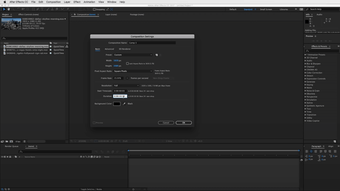
Unlike traditional editors, Adobe After Effects CC focuses on layering visuals and manipulating elements over time, which creates a professional motion graphics workflow built around precision and creativity. The interface is dense but structured, with timelines, composition panels, and effect controls all working together to give users full control over every frame. It prioritizes functionality, presenting tools and panels that can be rearranged.
From simple animations to complex visual effects
As a motion graphics tool, Adobe After Effects CC is built around layers, keyframes, and effects. Users can animate text, objects, and entire scenes by adjusting properties over time. This results in a keyframe animation system that allows precise control over movement, timing, and transitions. Whether creating titles, visual effects, or full sequences, the software provides the tools needed to build complex visuals step by step. Although it has a steep learning curve.
It integrates well with other Adobe tools, allowing seamless movement between editing, design, and animation workflows. Plugins and presets expand its capabilities even further, giving users access to advanced effects and templates. However, this depth also makes it steep learning curve, especially for beginners who may find the interface overwhelming at first. Performance can also depend heavily on system specifications, particularly when working with complex compositions. However, the interface is dense and can be overwhelming.
Improving performance and creative tools
Recent updates to Adobe After Effects CC have focused on improving performance and expanding creative features. Enhancements to multi-frame rendering have significantly reduced render times by using more CPU cores efficiently. Updates also introduced improved timeline responsiveness, faster previews, and better memory handling for large projects. New tools and refinements to existing effects allow smoother animation workflows, while integration updates improve compatibility with other Adobe applications.
The graphical interface supports detailed editing. Each layer can be adjusted individually, with effects applied in real time for preview. The timeline allows users to organize compositions clearly, while panels like the graph editor provide deeper control over motion curves and animation flow. Audio also plays a role, with waveform displays and synchronization tools helping align visuals with sound. This creates a layer-based editing system that integrates both visual and audio elements into a single workflow.
A powerful creative suite for motion work that rewards skill
Adobe After Effects CC remains one of the strongest tools for motion graphics and visual effects because it gives creators deep control over animation, compositing, and visual polish. Its layer-based workflow, Adobe integration, and ongoing performance improvements make it highly capable for professional work. However, that same depth brings a steep learning curve and heavier system demands, making it more rewarding for committed users than for casual beginners.






.png)